Building Beet
TLDR;
I built Beet, a fast, open-source macOS menu bar dashboard for GitHub. It tracks the pull requests, mentions, and CI runs that actually need my attention. It’s an application tailor-made for how I prefer to review pull requests, and it is highly opinionated about the order I look to review them in. I open-sourced the app and am publishing unsigned Mac releases to GitHub so you can review PRs like me.
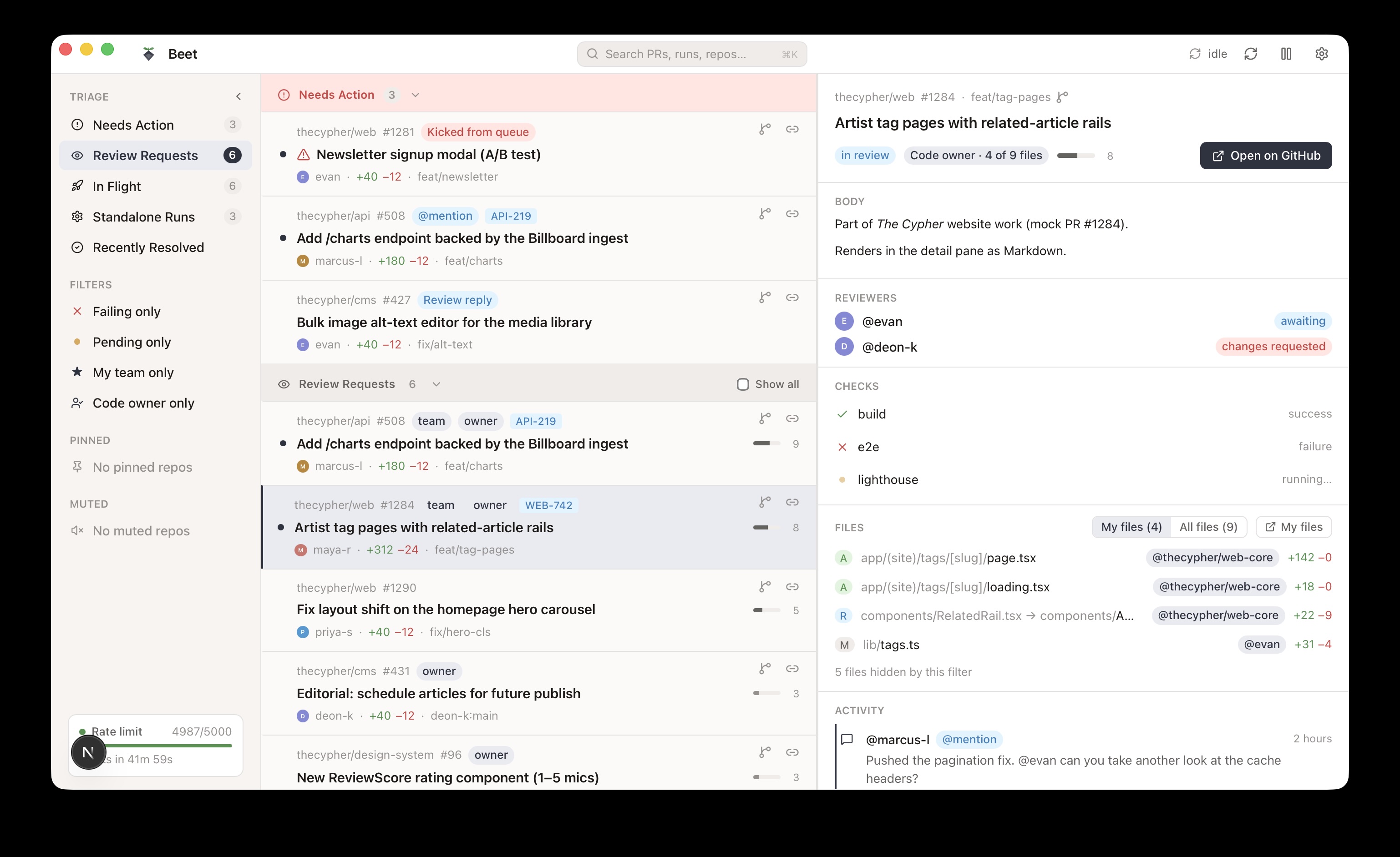
You can check it out at beet.sh.
The Friction of Context-Switching
For quite some time over the past two years, I’ve had a recurring problem in my full-time role as a senior software engineer: being constantly flooded with pull requests that appeared to need my approval. Sometimes I was assigned to a PR because I was tagged in a team code-owner review request. Other times, I was intentionally added. Many of these PRs were opened by other engineers, but a lot were also opened by bots—and a frustrating amount of them were opened and never touched again for months.
I take my role as a code reviewer seriously. Where possible, I do not want to block anyone’s work or progress. I want to give them the feedback or approval needed to keep their momentum going. But a flat, chronological list of GitHub notifications makes it nearly impossible to prioritize effectively.
The Core System: Opinionated PR Routing
I began to imagine what a tool would look like if it cut through the noise and just handed me the 8 most important pull requests. I needed it to route and rank those PRs according to a strict set of metrics:
- Age: Dropping PRs that have been dead for months.
- Lines Changed: Deprioritizing massive, monolithic changes so they don’t block quick wins.
- Team Proximity: Prioritizing authors on my immediate GitHub team to keep the homies unblocked.
- Assignment Status: Weighing direct reviewer assignments heavily versus generic team tags.
- Bot Authors: Filtering out automated dependency updates from my immediate focus.
- Action Taken: Bubbling up PRs I’ve already commented on or approved that require follow-up.
Organic Engineering Evolution
Step 1: Todoist PR
I started by building a Node script called Todoist PR. It looked at the PRs I was assigned to, scored them based on my metrics, and automatically dropped the top 8 into my Todoist on a daily basis. This worked wonderfully for a while, but in the back of my mind, I wondered if I could take it a step further. It wasn’t until recently that I had the tools to turn this into a native experience.
Step 2: PRZ
Seven months ago, I experimented with the Gemini CLI and built an app called PRZ.
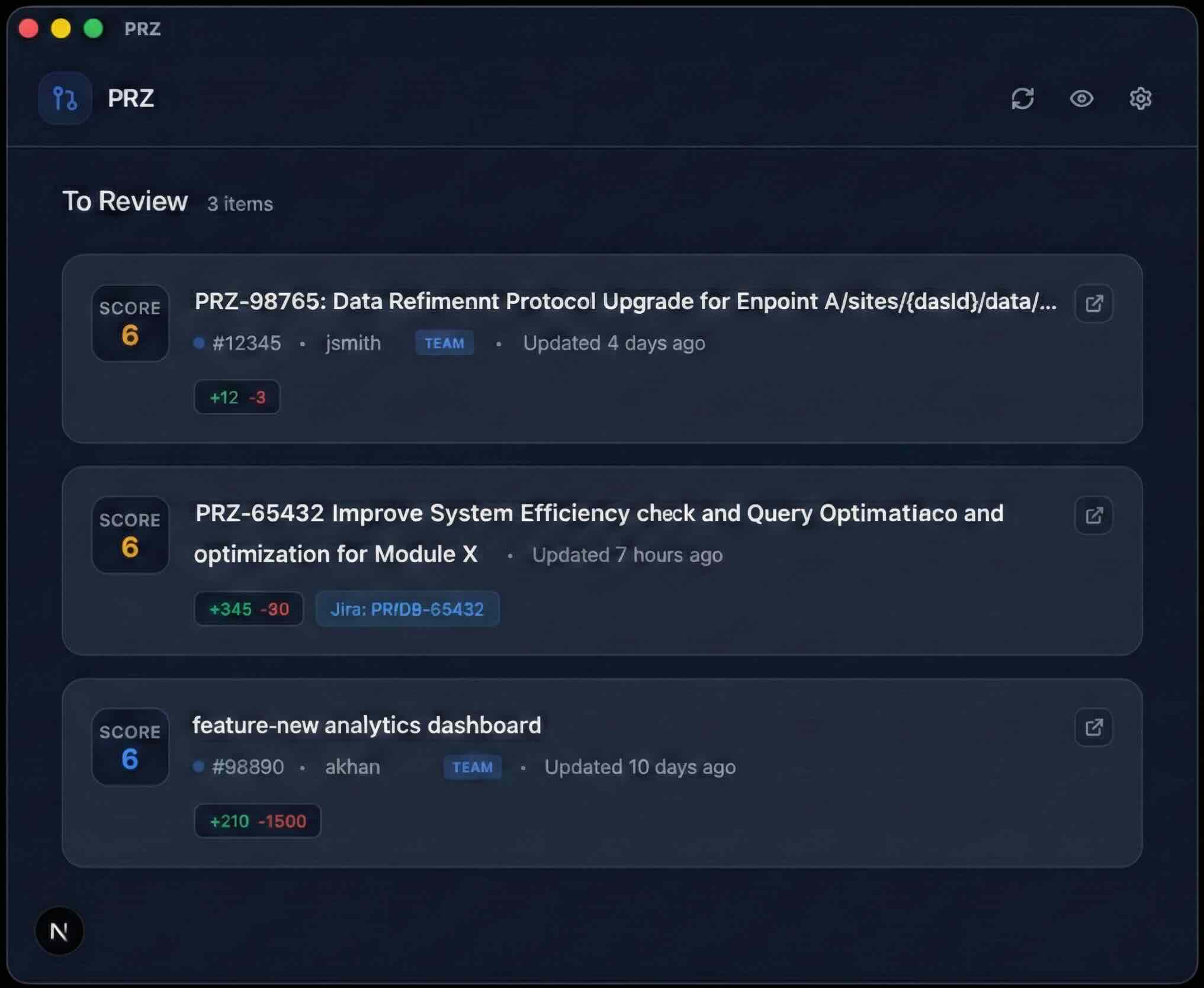
PRZ was a super rudimentary version of what I wanted, a Mac app that showed me a list of PRs I needed to review in my preferred priority. I used it regularly, but it had several workflow gaps:
- No notifications when a new PR was assigned to me.
- No macOS dock icon with a badge count or an always-accessible list.
- Lacked deeper PR context (links to developer tickets, team review indicators, code owner flags).
- Missing shortcuts to jump directly to the specific files I owned.
I needed a full-blown GitHub pull request dashboard. I noted these gaps down so I could attack the problem at a later time.
Iterating to a Native Dashboard
About 6 months ago, I pulled up my list of features and decided the time was right. I wrote a rough specification and, using Anthropic’s Claude, built out several pieces that served as the framework for the application.
I used Claude to help lock down a spec that defined every single behavior. Providing enough context to an LLM makes the difference between getting something mediocre and something exceptional. This document became my product requirements doc, allowing me to start organizing and working on the app in iterative chunks.
For the UI design, I used Claude Design. I fed it my spec along with a prompt expressing my desire for a native-ish looking Mac app that felt like a cross between Slack and Superhuman.
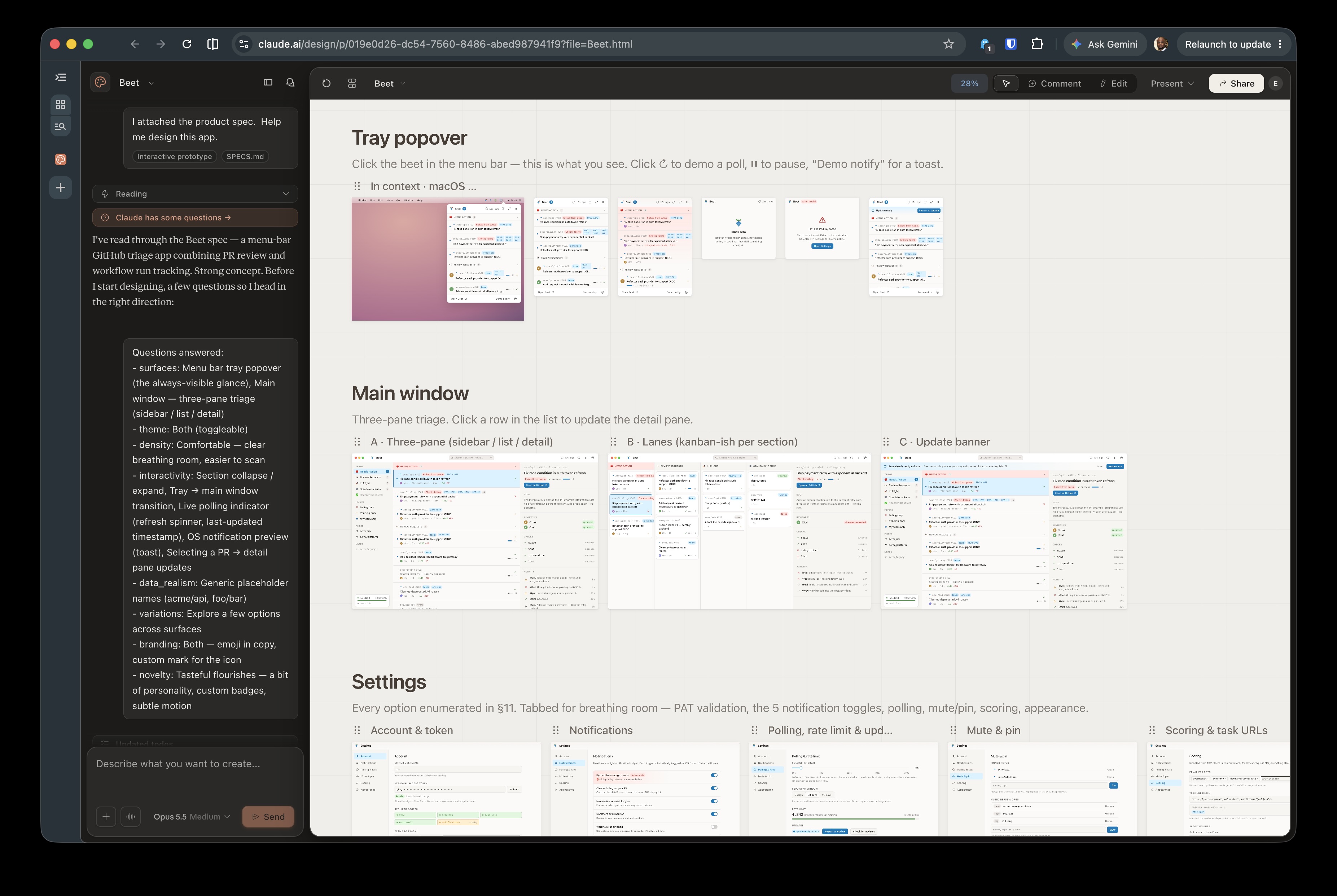
Over the next 5 months, I had an incredible time building this in collaboration with Claude. You can see how the app evolved by looking at the commit history. I would crank out a few features overnight, install a new build on my work laptop the next morning, and immediately test it in my actual developer workflow. Moving fast and building something I genuinely use every day felt incredibly dope.
Meet Beet
The result is Beet. Here are a few features I enjoy using:
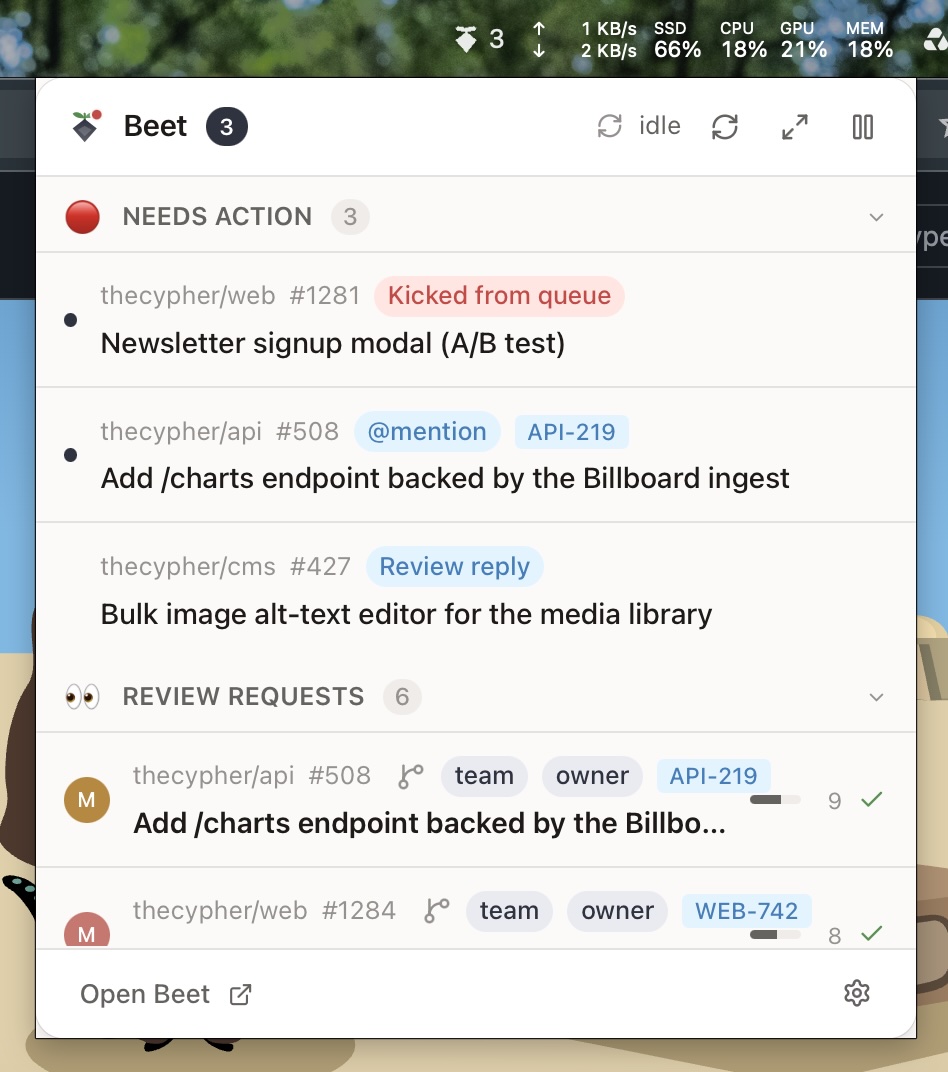
The “Popover” lets me see my prioritized pull requests at a glance without breaking my flow.
When I need to dig in, the full app experience shows me everything I need to see to properly triage the PRs I need to review—direct file links, CI run statuses, and the exact context of why I was tagged.
And, of course, it has a dark mode…
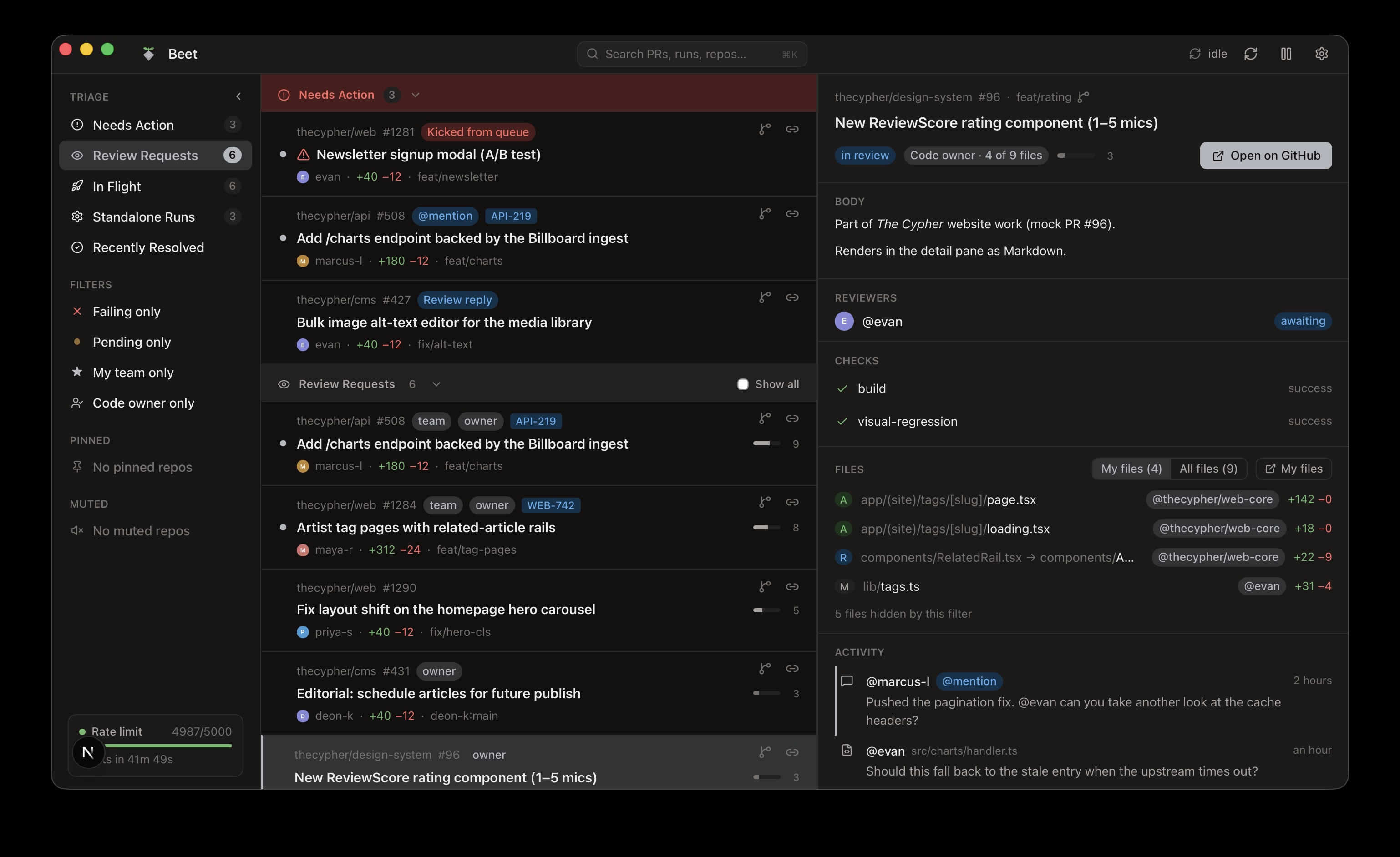
…and native macOS notificatins
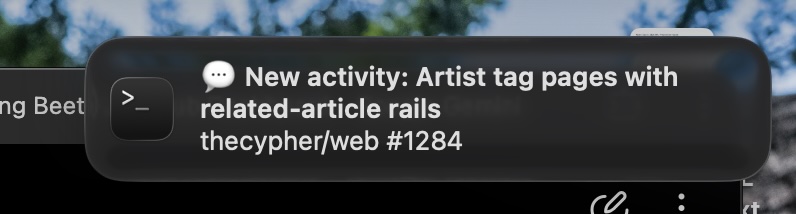
I plan on posting a video overview on YouTube soon. In the meantime, head over to beet.sh to grab the release and get started. No sign-up or money needed. Just a tiny bit of patience.
Low-key, I kinda enjoy naming the dev tools I build after fruits and vegetables. I built Fig years ago to generate feature images for my blogposts.
🧇